
Stone County Wanted List Status
Sheriff Brandon Long's office runs the Stone County Sheriff's Office Most Wanted interface, and that is the official spot for notices the agency picks for public display. Visitors get a few tools. A name search comes standard, along with Current and Arrested status views and sorting from newest to oldest or the reverse. The page has also been known to show an unavailable-content message. That glitch makes it impossible to say how many notices exist, who is listed, or how the cards are laid out.
An empty display proves nothing about warrants. It only means the public page was not showing usable content at that moment. The sheriff's alert service points to new Most Wanted photos and arrest-status changes published as they update, so photos clearly appear when the system is in use. There is no fixed schedule, though. Not every warrant becomes a public post. The interface screenshot documents that limited state without reproducing anyone's photograph, and availability can shift, so open the source before counting on it.
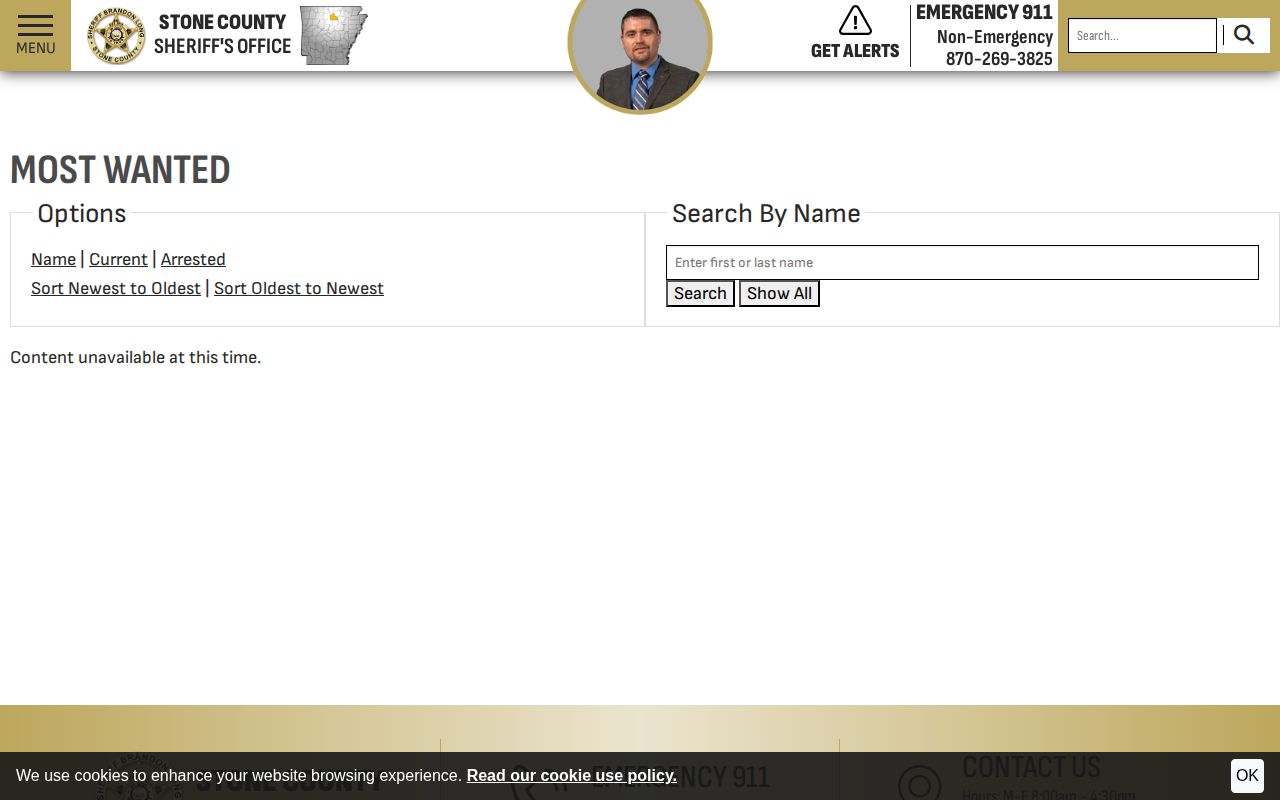
The interface image backs up the status finding. It shows the available controls too. Treat it as evidence of the page design at one moment in time. It is not a standing report on who is wanted.
Note: A public wanted page is a selected publication channel, while the sheriff and court clerks remain the individual warrant-confirmation route.
Stone County Wanted Notice Fields
With the display unavailable, little can be said about notice fields. Only the interface's supported functions and the sheriff's own alert language count as verified. Resist the urge to assume a field just because another county uses it. Physical descriptions, caution labels, warrant numbers, charge text, bond figures, addresses, and reward terms all remain unknown here. Verify against a live Stone County notice before trusting any of them.
| Interface element | What is supported | Limit |
|---|---|---|
| Status tabs | Current and Arrested choices appear | No status totals were available |
| Name control | The interface provides name search | No displayed names were available to test |
| Date sorting | Newest and oldest order choices appear | No update interval is published |
| Photographs | Alert signup refers to new Most Wanted photos | No complete photo policy is stated |
| Arrest updates | Alert language includes arrested-status updates | An update is not a court disposition |
A person moved to an Arrested tab has simply had the notice's status changed by the agency. That single word tells you nothing about how the case ended. The real outcome, whether dismissal, plea, acquittal, or judgment, lives in the Arkansas court docket. Search the docket and confirm the actual case before reading anything into an old wanted item.
Use Stone County Wanted Notices
Reading a notice is one thing. Hunting down the person is another, and the second is not your job. Treat the name and photo as identifiers the agency supplied. Then check whether the item is marked Current or Arrested, and note the posting or update date if the live listing shows one. A saved screenshot, a search result, or some third-party repost may lag far behind the sheriff's current status.
- Open the sheriff's official Most Wanted page and check whether the content is available.
- Use the Current or Arrested view, name control, and date sorting without inferring fields that are not shown.
- Compare a possible match carefully. Similar names or an old photograph can lead to a wrong identification.
- Do not approach, follow, message, or detain anyone. Call 911 if there is immediate danger.
- For non-emergency location facts, use the published tip line or official form and state only what was directly observed.
A wanted notice is not a jail record. Someone wanted but not yet booked will not appear on the current roster at all. After an arrest, a booking entry may surface through the Stone County Detention Center custody system. That record reflects custody, not the final charge result. A state sentence and transfer may follow later. At that point the Arkansas Department of Corrections search becomes the custody source. The Stone County booking and roster paths walk through those later record states.
Check Stone County Warrants
Stone County offers no public searchable warrant portal. The sheriff's FAQ tells people to contact the sheriff or the right District or Circuit Clerk office to ask whether a warrant exists. That route answers an individual question. The Most Wanted interface cannot fill the gap. Those posts are hand-picked notices, not a complete list of active warrants.
A warrant is a court-backed command. It authorizes a stated action, often arrest or a court appearance. Bring enough identity and case detail when you check one. That helps you avoid mixing up two people with similar names. Ask which court issued it, whether a case number exists, and what step the court requires next. Some warrants state a bond while others require an appearance. Not every warrant can be cleared by payment, and not every clerk can settle things over the phone.
- Call the Stone County Sheriff's Office at 870-269-3825 or contact the relevant Stone County District or Circuit Clerk.
- Provide the full name and any known case or court detail. Confirm identity rather than relying on a name alone.
- Ask whether the warrant is active, which court issued it, and whether it states a bond or requires appearance.
- Use the court's instructions or consult counsel to arrange a lawful response. Do not rely on web publication details to avoid service.
- After the matter is addressed, confirm the docket and warrant status with the originating office.
Arkansas public-records law applies here. Within stated limits, the sheriff's records system can supply warrant records. A records request works for getting a document. For an urgent status question, direct confirmation with the sheriff or the court is better. A warrant's status can change at any time.
Stone County Warrant Types
No county-specific catalog of warrant categories has been published. A narrow comparison still helps. The source notes that some warrants state a bond while others demand a court appearance. In every case, the issuing document and the court control the outcome. Labels used elsewhere should never be forced onto a Stone County record if the local court does not use them.
| Record situation | What can be said | Best confirmation |
|---|---|---|
| Warrant with stated bond | The document may state a bond amount | Sheriff and issuing court |
| Appearance-required warrant | The person may need to appear as directed | Issuing court or counsel |
| Wanted notice | A selected public notice may include a photo | Sheriff's current wanted page |
| Federal fugitive matter | It is separate from the county wanted archive | Relevant federal agency and court |
Warrants come in a few varieties here. A bond is what the court sets as a condition of release. The paperwork may change as a case moves forward. What appears on a wanted notice at one point might later be filed differently, amended, or dropped by prosecutors once the court record takes shape.
Stone County Wanted Tips
Want to pass along a tip in Stone County? Two non-emergency routes exist. Call 870-269-STOP (7867), or use the sheriff's online crime-tip form. The form lets you add an email and upload a file, though nobody watches it around the clock. Share a photo, video, or document only when it backs up what you saw and can be shared lawfully.
Stone County Sheriff's Office Tip Channels
Keep these contacts handy. Emergencies go to 911. Non-emergency tips can go to 870-269-STOP (7867) or the sheriff's online crime-tip form, which is not monitored 24/7.
What happens after you spot someone on the county's wanted list? The sheriff's contact page makes no promise of anonymity. None of it offers a reward. A STOP tip line exists, but treat it as a reporting channel rather than a cash program unless officials say otherwise. When you call, stick to what you actually saw: the time, the place, which way the person went, and anything urgent about safety. Leave motive and speculation out of it.
Note: Use 911 for immediate danger because the online tip form is not continuously monitored and may not receive a prompt review.
Stone County Wanted Alerts
Alerts and jail apps answer different questions. The sheriff's email and text signup covers several categories. Residents can choose General notices, Message From the Sheriff, Press Releases, or Most Wanted. Pick the Most Wanted option and you'll hear when new photos post. You also get word when arrested-status changes. That is all it does. Delivery is not guaranteed, and an alert says nothing about whether the wanted page is live at any given moment or whether other warrants exist.
The iOS listing and Android listing both point to the RPS-Inmate Info app. It is a vendor roster product linked from the jail interface, not a dedicated Stone County sheriff app. Its store description promises names, pictures, charges, and arrest and release details. It also offers round-the-clock custody updates. Confirm Stone County coverage after installing. Keep the roles straight: the app handles custody records, while text alerts track selected agency publications.
Neither tool settles the bigger question. A wanted-photo alert reports a publication event. An app entry answers a custody query, and only if Stone County data shows up in the installed product. For anything definitive, go straight to the sheriff or the clerk for a warrant check. Delays, a missing app record, or an unreachable wanted page are reasons to call the originating office. They are not reasons to assume a warrant or arrest does or does not exist.
| Channel | Main purpose | Important limit |
|---|---|---|
| Sheriff Most Wanted alerts | New wanted photos and status publications | Not every warrant is a wanted post |
| Sheriff press-release alerts | Selected agency announcements | Not a complete arrest log |
| RPS-Inmate Info app | Vendor custody and roster data | Not a sheriff-branded warrant app |
Keep the two systems straight. A wanted alert can land before a booking, or report a later status change. A custody update follows an arrest. For the outcome of any case, court dockets and orders are the authoritative source.